
Your clients' social channels, planned, approved, published.
Write a post once, adapt it to each channel, get the client's approval, and Flowencia publishes it at the scheduled time.
Guided tour
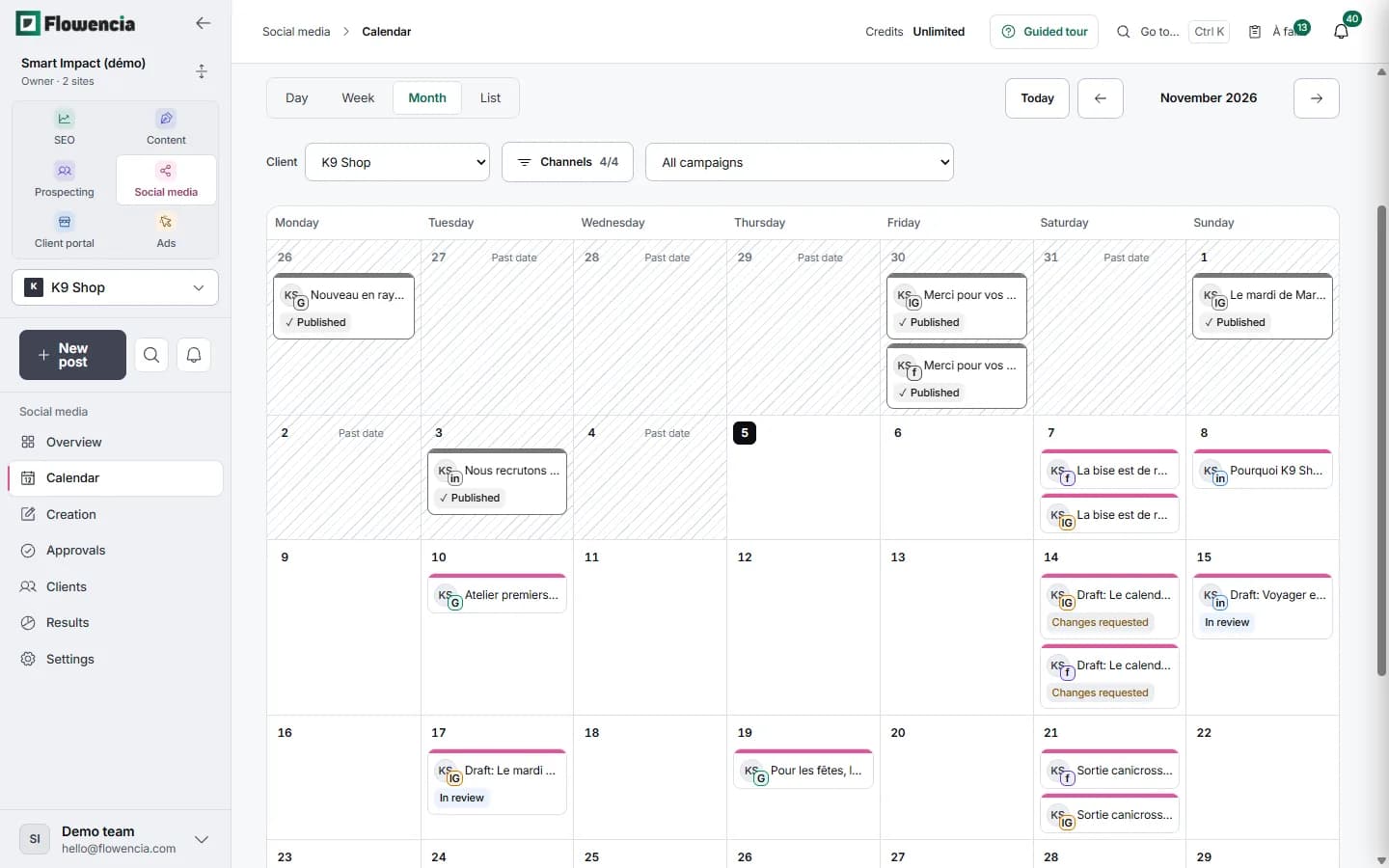
In detail
Every screen shown here comes from our demo client: nothing is mocked up.
Client approval
The client reviews on their own page
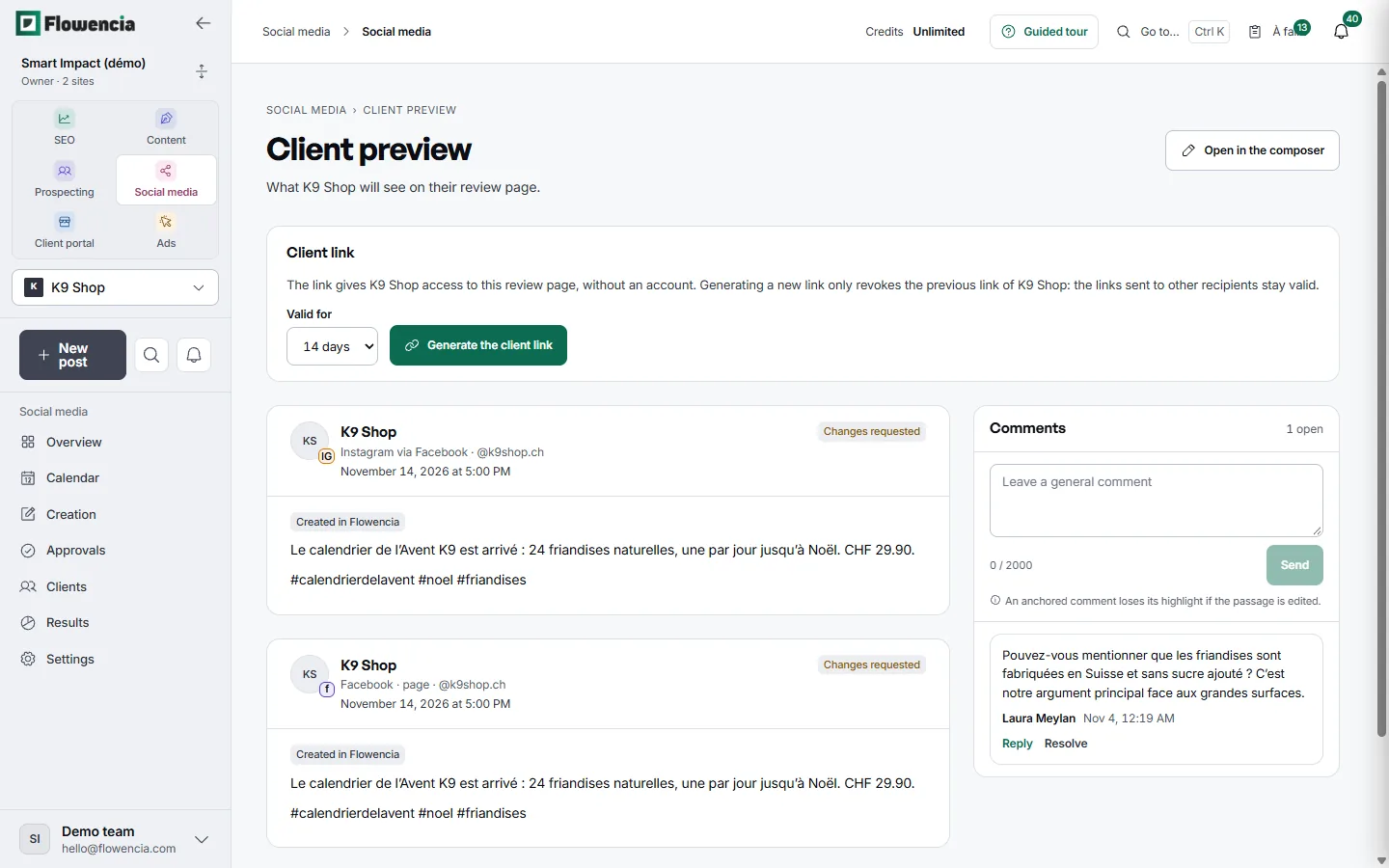
The preview shows what K9 Shop will see on its review page, channel by channel. The client opens it from a link, without an account, and comments next to the posts.
- The link is valid for 14 days. Generating a new one revokes only this client's previous link.
- K9 Advent calendar: Instagram and Facebook versions, both marked “Changes requested”.
- Comment from Laura Meylan: say that the treats are made in Switzerland, with no added sugar.
- Each comment gets a reply or is resolved in the same thread.
 (open the full-size capture)
Agency overview
What is waiting, client by client
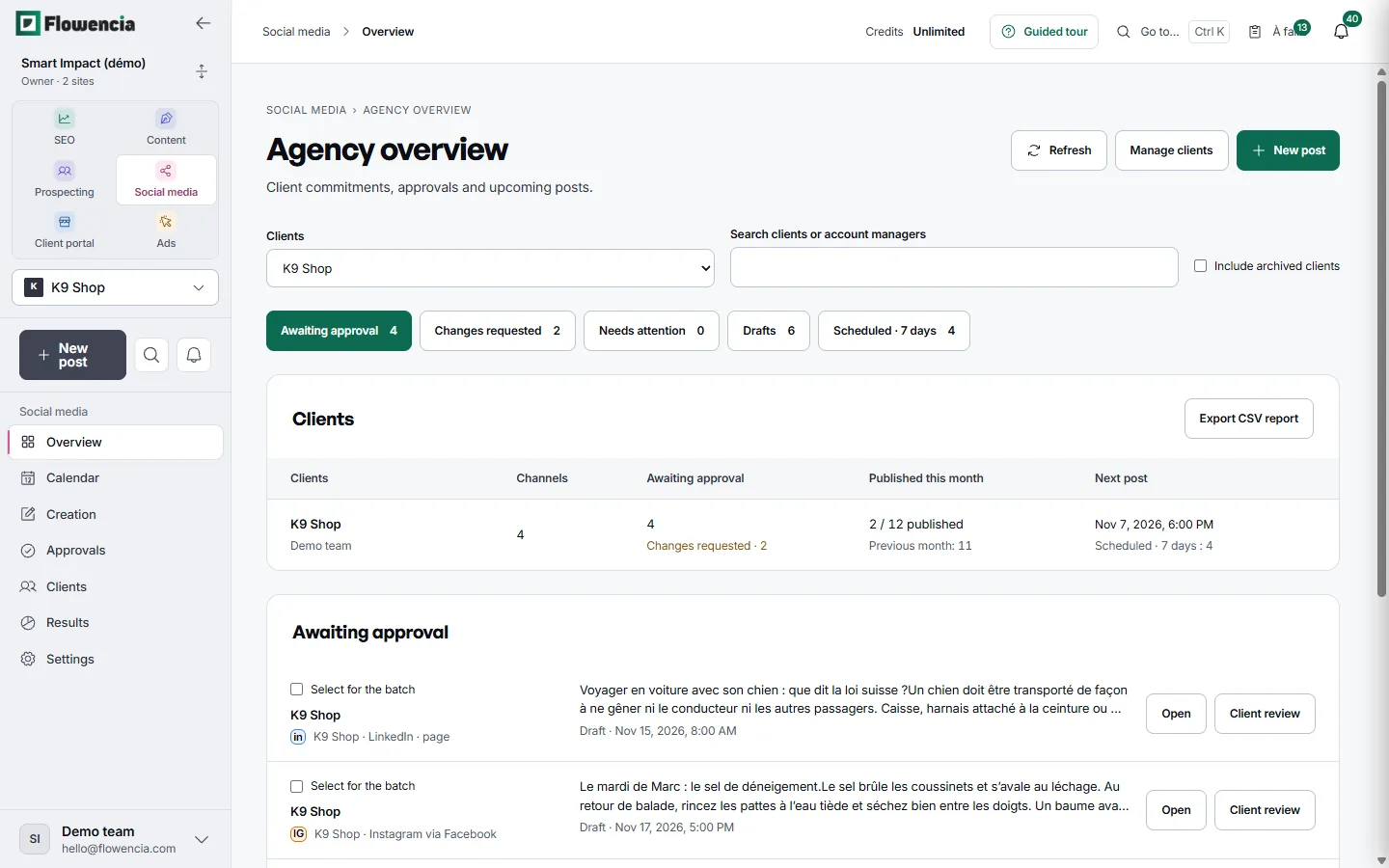
The overview brings together each client's approvals, drafts and upcoming posts. Each queue opens in one click and the summary exports to CSV.
- K9 Shop: 4 posts awaiting approval and 2 change requests.
- 2 of 12 posts already published this month, against 11 last month.
- Next post on 7 November at 6 pm, with 4 scheduled over the next 7 days.
- A client review for every post, such as the LinkedIn post on travelling by car with a dog.
 (open the full-size capture)
Client voice
K9 Shop's rules, followed by the assistant
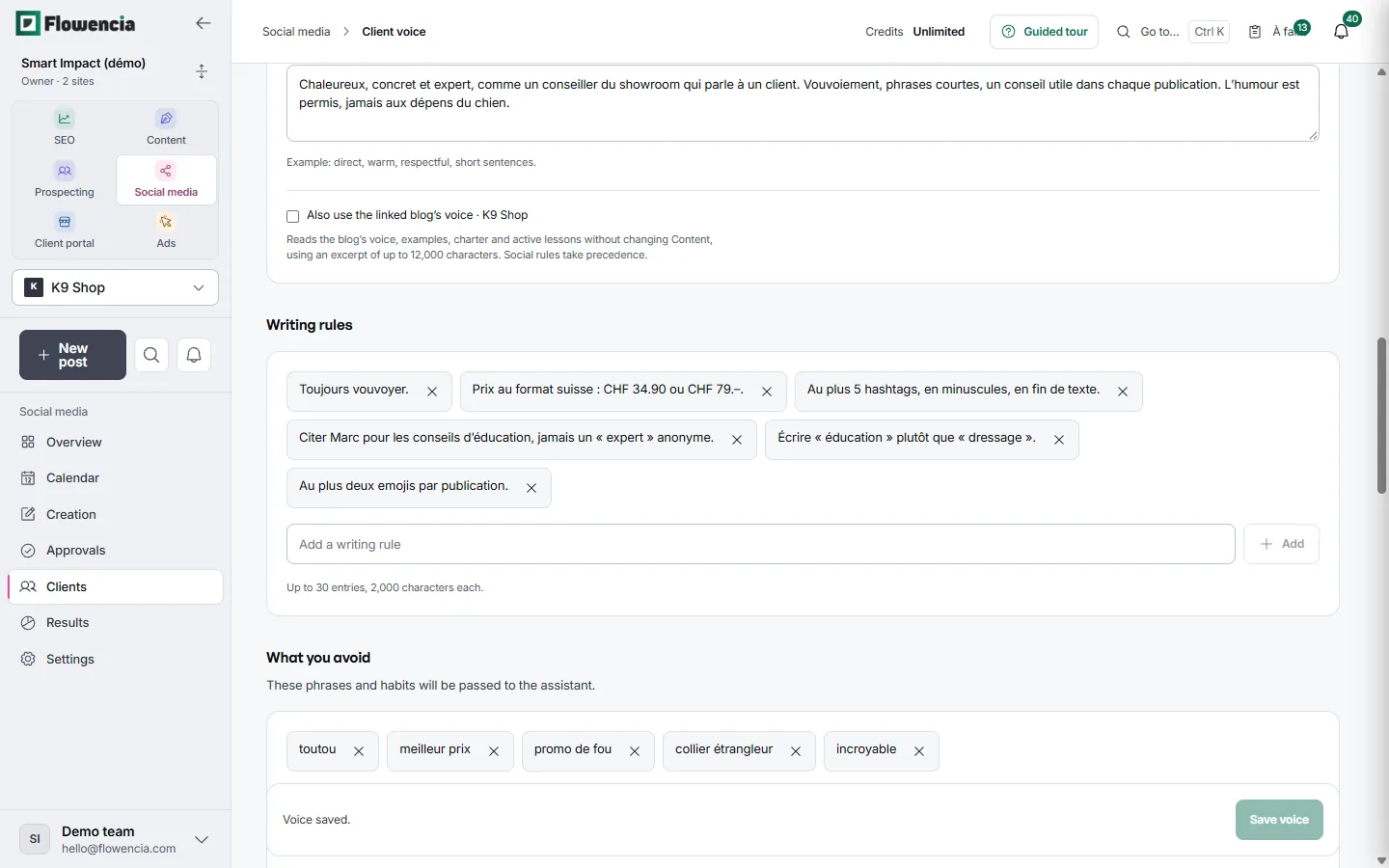
For each client, you describe the tone, the writing rules and the phrases to avoid. The writing assistant applies them to that client's posts.
- Tone: warm, concrete and knowledgeable, like a showroom adviser talking to a customer.
- Prices in Swiss format: CHF 34.90 or CHF 79.–.
- No more than 5 hashtags, in lower case, at the end of the text.
- Words to avoid include “toutou”, “meilleur prix” and “promo de fou”.
 (open the full-size capture)
Results and review
Each account against the previous period
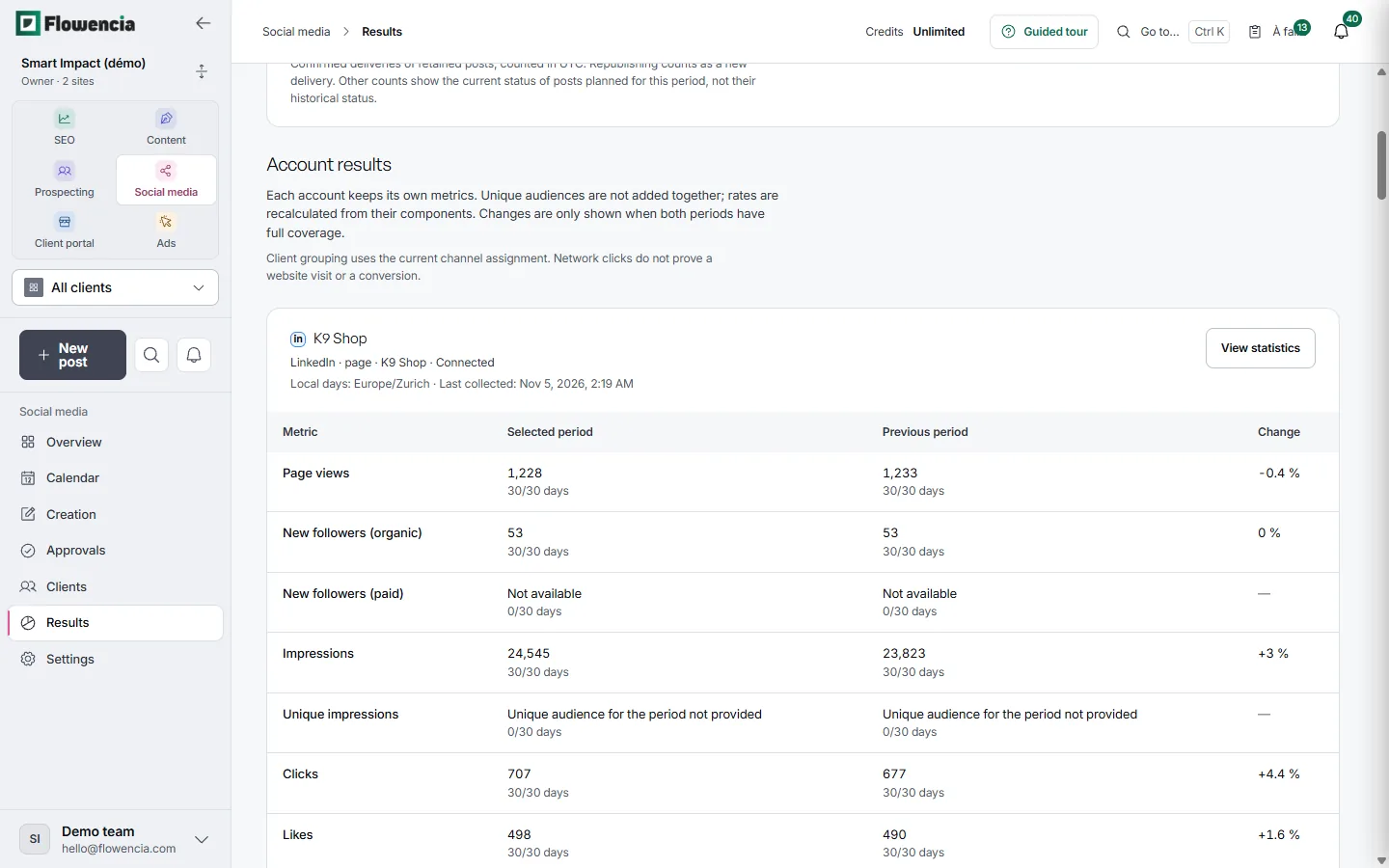
The review lists each channel's measures for the chosen period next to the previous one. It exports to CSV or prints to PDF for the client.
- K9 Shop LinkedIn page: 24,545 impressions over 30 days, up 3%.
- 707 clicks against 677 in the previous period, up 4.4%.
- Paid followers are not supplied by the network: the row reads “Not available”, with no change shown.
- Coverage shown for every measure: 30 days out of 30 on each side.
 (open the full-size capture)
Guarantees
Approval respected
When a client requires approval, an unapproved post is neither scheduled nor published.
Never a duplicate
A post with an uncertain outcome is never sent again automatically: you check the network first.
Each client's voice
Tone, examples and phrases to avoid, set per client and followed by the writing assistant.
Frequently asked questions
Which networks are supported?
Google Business Profile, LinkedIn (profile and page), Facebook (page) and Instagram (professional account, linked to a Facebook page or not).
Does the client have to share their passwords?
No. You send them an invitation and they connect their own account from the network's authorization screen.
How does it connect with SEO and content writing?
A client can be linked to their website tracked in Flowencia, and automations prepare drafts from that site's articles or from an RSS feed.
How do I turn it on?
Social media is an optional module, switched on for your agency when you need it. SEO and content writing remain the core of Flowencia.
Plan your clients' social month.
Module switched on for your agency on request. Book a demo to talk it through.