
The audit that tells you what to fix, and in what order.
Flowencia crawls each site, ranks issues by severity and suggests the fix.
Guided tour
The crawler follows links from the home page and respects robots.txt. On WordPress, the plugin also lists the pages actually published.
25 checks across five families: tags, content, technical, performance, links. Each issue is rated high, medium or low.
A 0 to 100 score per site, so you see where every client stands at a glance.
Search Console confirms what Google actually sees: indexed pages, sitemaps, canonicals, structured data.
Suggested fixes go through decision, review and publishing to WordPress, with verification and rollback.
In detail
Every screen shown here comes from our demo client: nothing is mocked up.
Detected issues
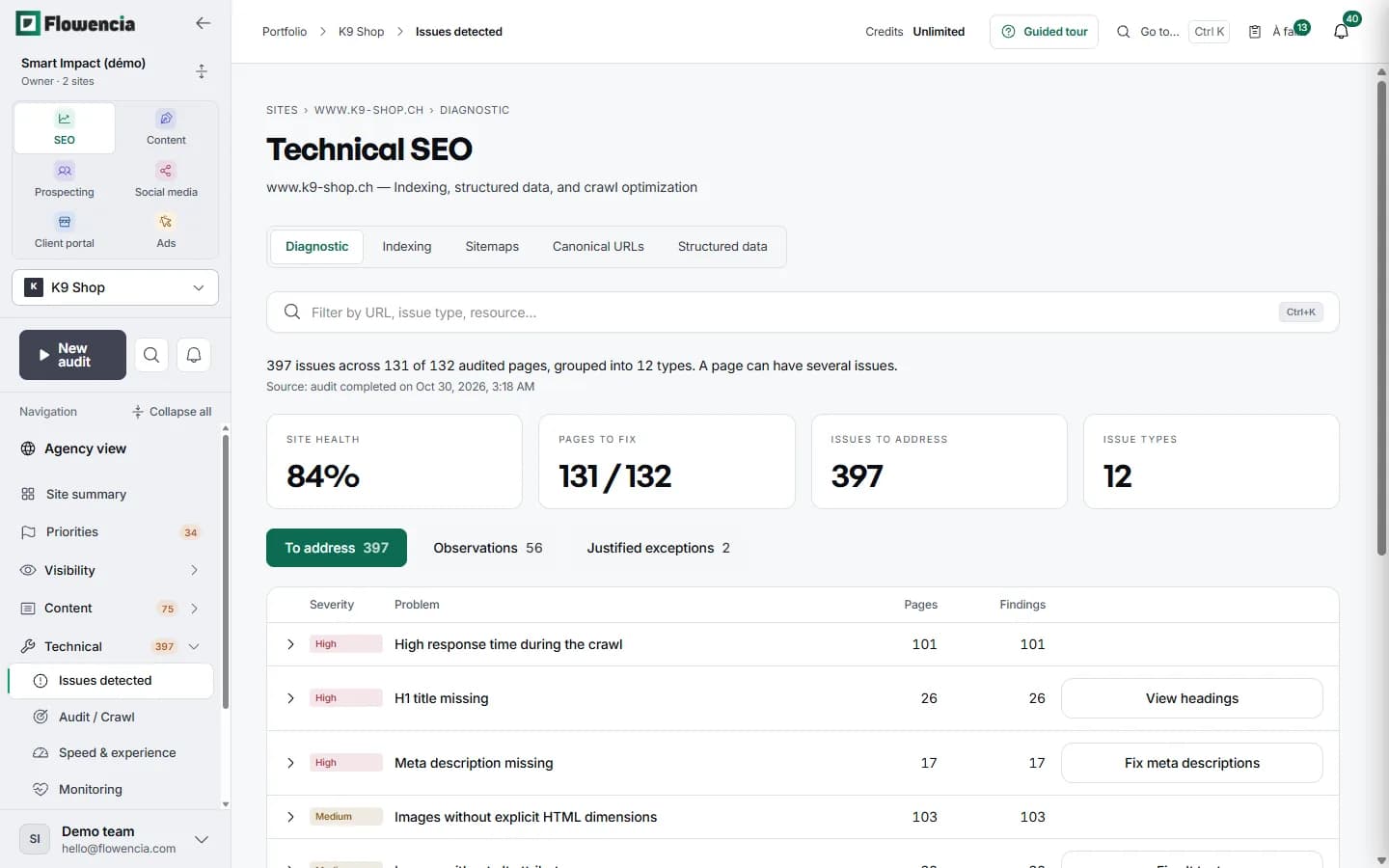
Every issue leads to its pages.
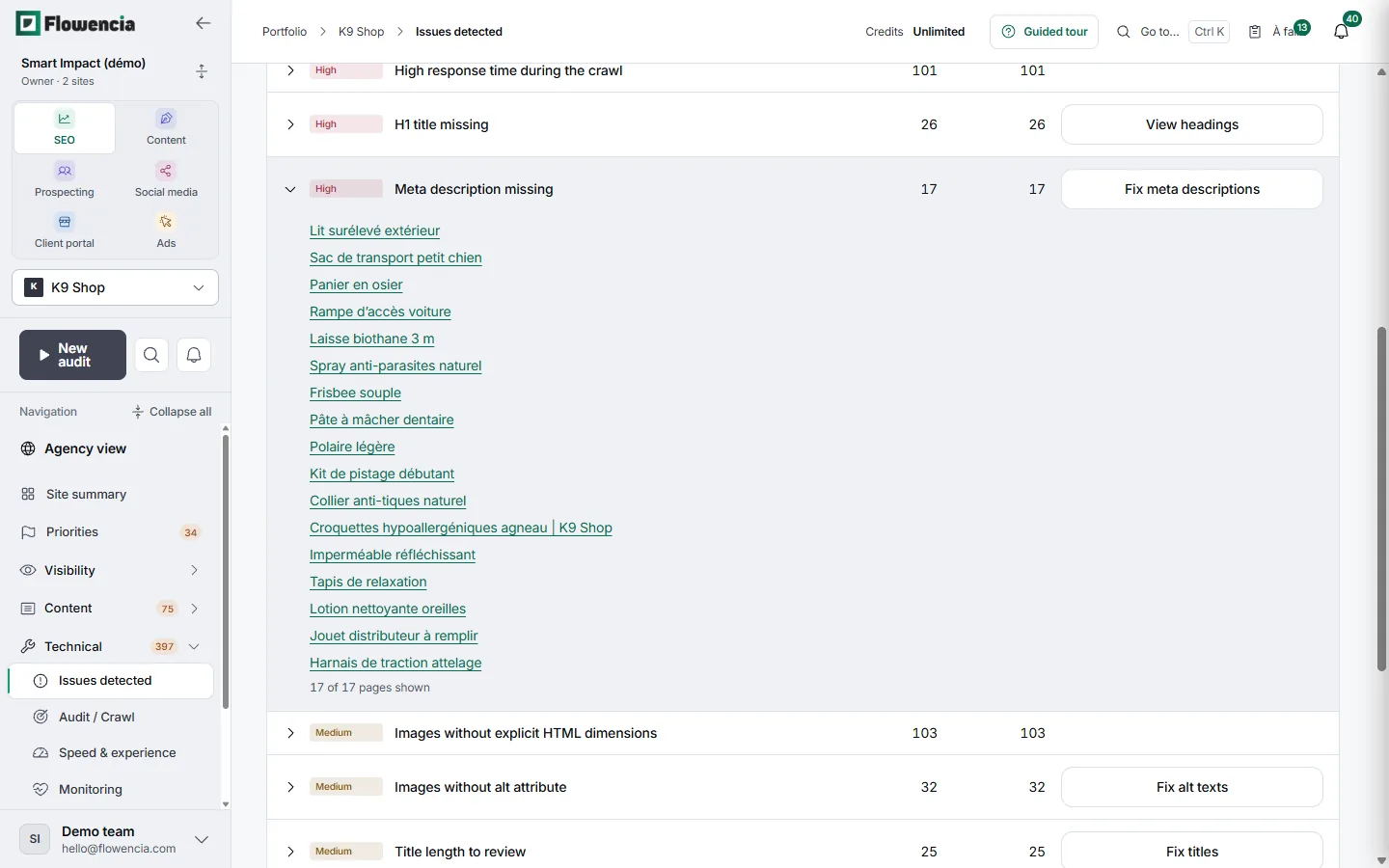
Expand a row to see the affected pages. The button on the right opens the screen where the fix is prepared.
- “Meta description missing”: 17 pages, including the outdoor raised bed and the wicker basket.
- For each issue: severity, number of pages and number of findings.
- Straight from the row: fix meta descriptions, alt text or titles.
 (open the full-size capture)
Suggested fix
The fix, written and ready for WordPress.
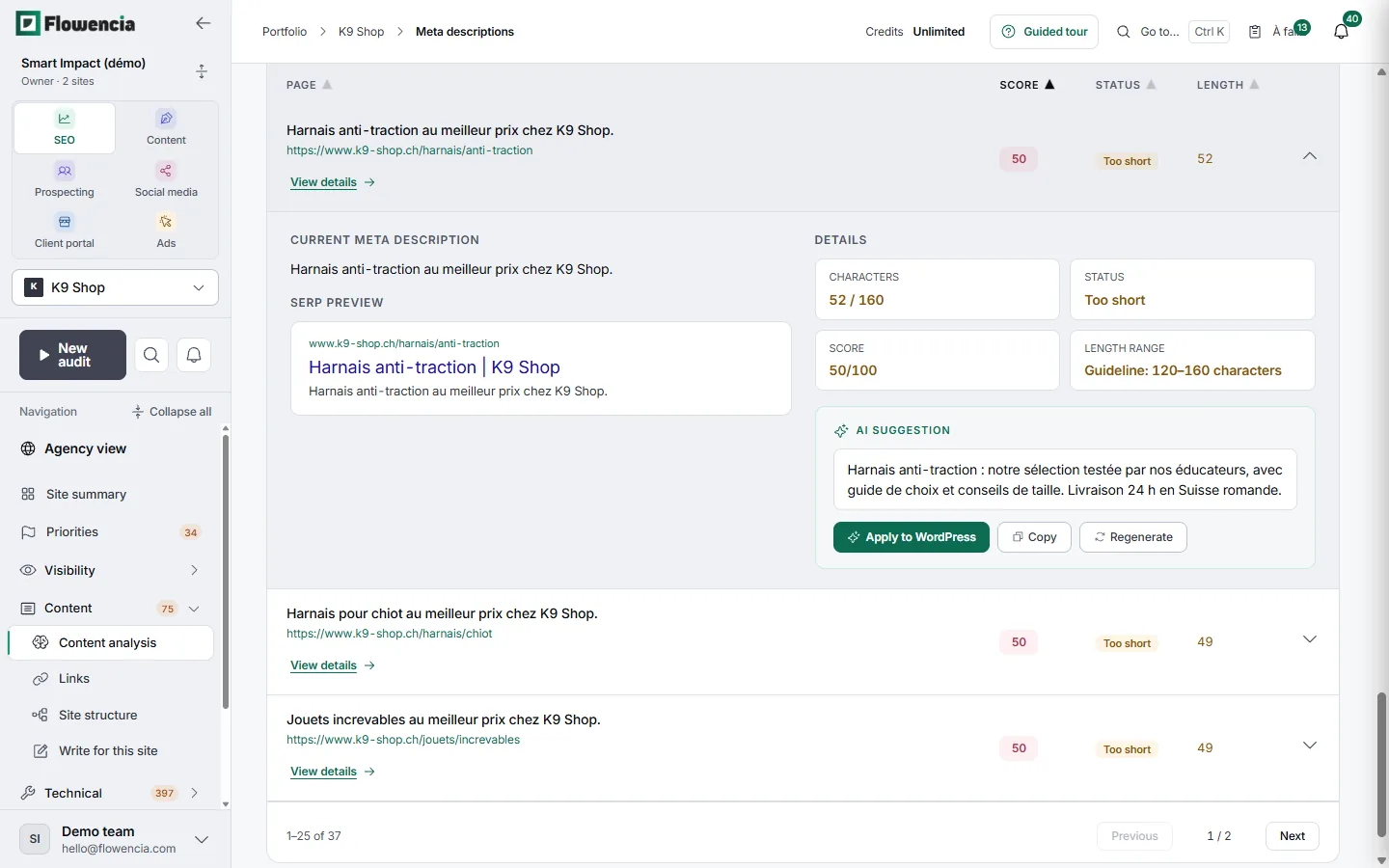
For each page, Flowencia shows the current meta description, how it looks in Google and an AI-written suggestion. Apply it, copy it or ask for another one.
- No-pull harness page: 52 characters against a 120 to 160 target, status “Too short”, score 50/100.
- The suggestion mentions a range tested by the shop's trainers, a buying guide and sizing tips.
- Three buttons under each suggestion: Apply to WordPress, Copy, Regenerate.
- On K9 Shop, 20 suggestions are ready and 17 are still to generate.
 (open the full-size capture)
Crawling
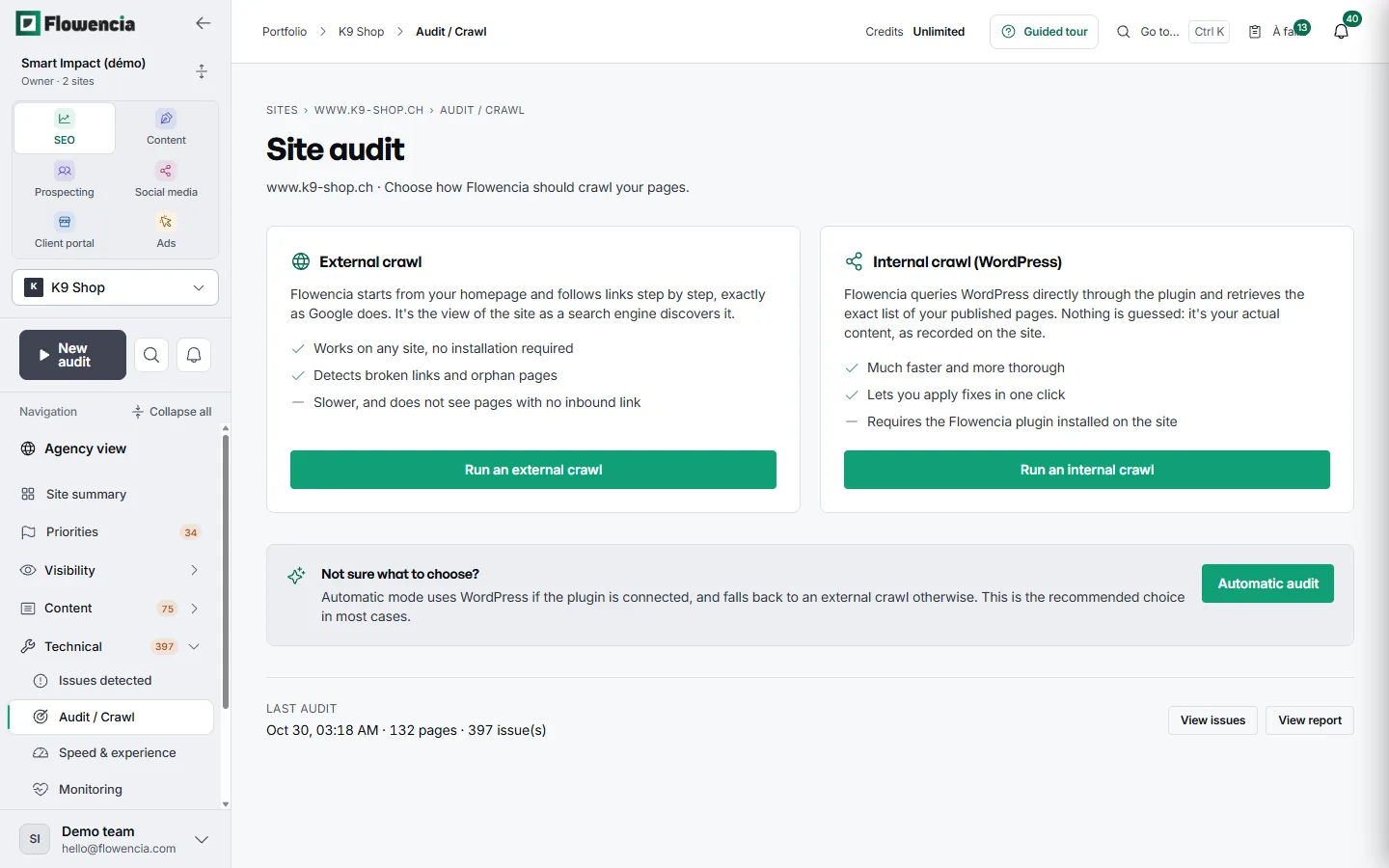
Two ways to crawl the site.
The external crawl follows links from the home page, the way Google does. The internal crawl reads the published pages through the WordPress plugin. Automatic mode picks one depending on whether the plugin is connected.
- External crawl: works on any site and finds broken links and orphan pages.
- Internal crawl: faster and complete, and it lets you apply fixes.
- Latest K9 Shop audit: 30 October, 132 pages, 397 issues.
 (open the full-size capture)
Priorities
The pages to look at first.
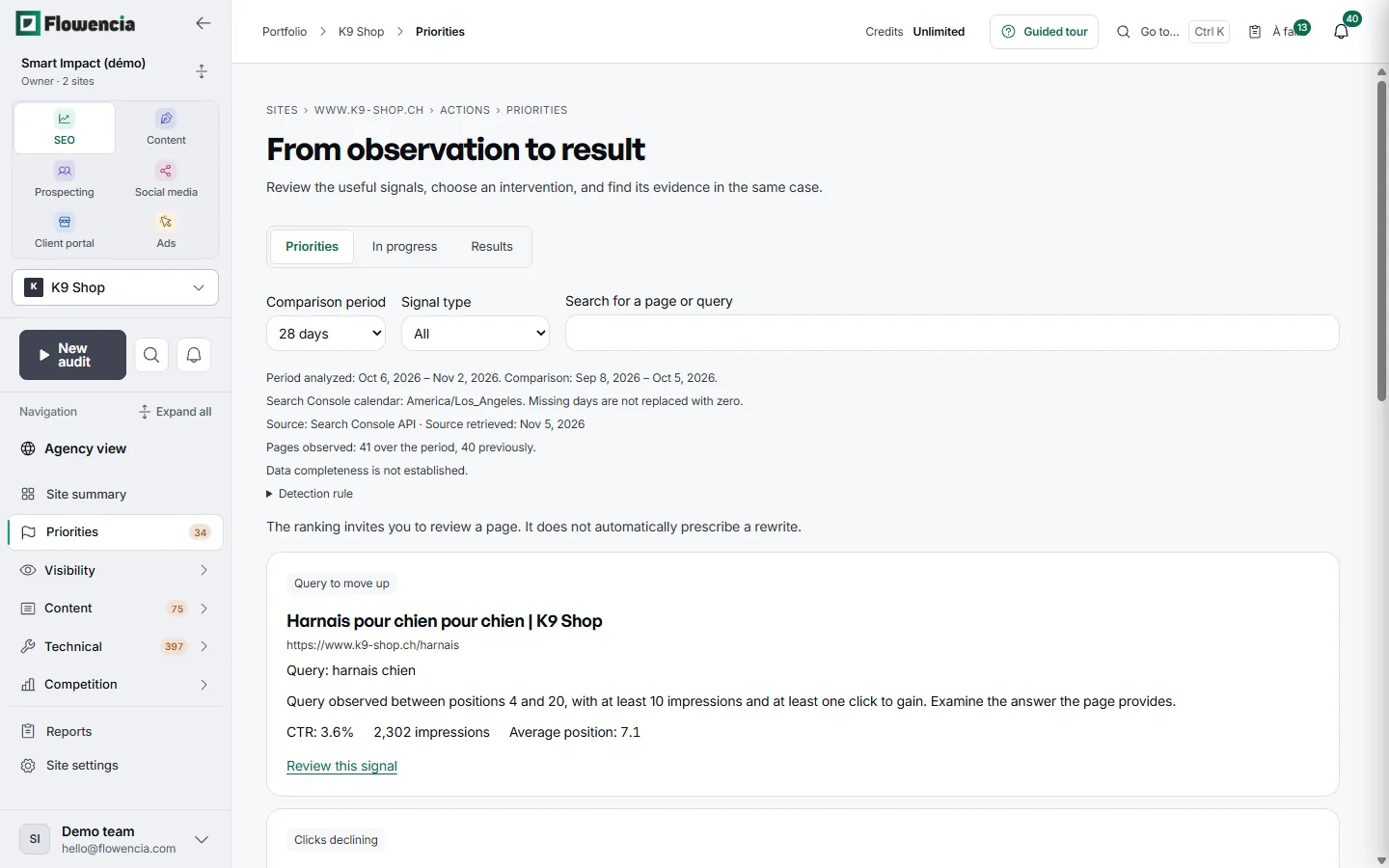
Search Console data from the last 28 days surfaces signals such as a query worth pushing or falling clicks. Each signal names the page, the query and the numbers behind it.
- Query “harnais chien” (dog harness) on the /harnais page: average position 7.1, 2,302 impressions, 3.6% CTR.
- The analysed period and the comparison period are shown above the list.
- The ranking points you to a page to review. It never prescribes an automatic rewrite.
 (open the full-size capture)
Guarantees
Read-only on Google
Your Search Console and Analytics access is only used to read.
Nothing published without you
Every fix waits for your approval before it reaches the site.
Rollback
A published change can be undone.
Frequently asked questions
How many pages are analysed?
Every page reachable from the home page, up to your plan's page limit.
Do I need to install anything?
Not for the audit. The WordPress plugin helps list published pages and apply fixes.
When is the site crawled?
On demand, and on every WordPress plugin sync.
Can I audit my clients' sites?
Yes. Each site has its own audit, issues and history, in the same workspace.
Run the audit on your first site.
Free trial, no credit card. First results in minutes.