
A client space in your colors, from order to invoice.
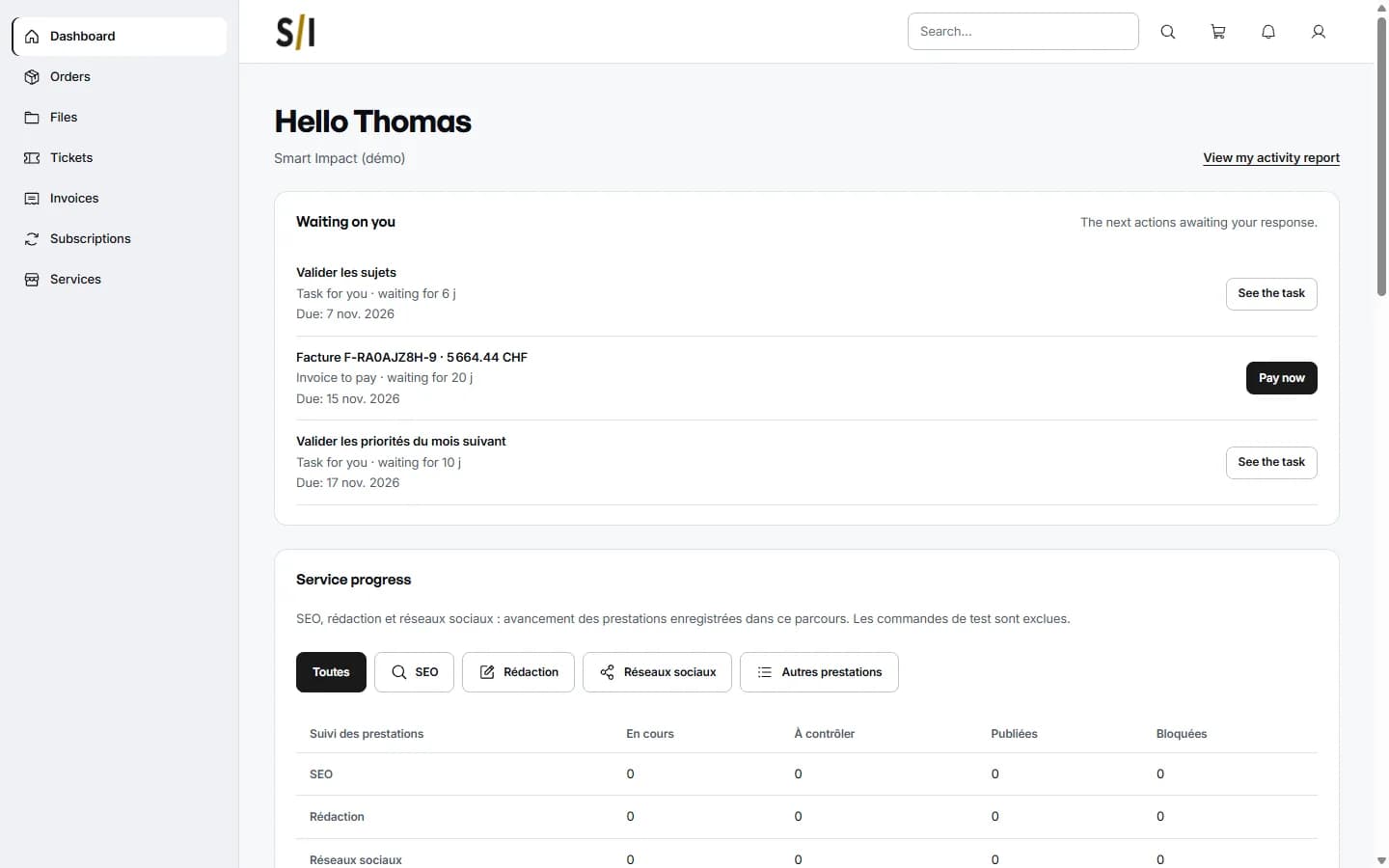
Your clients order your services, follow their orders, open tickets and pay their invoices in a portal under your brand. Your team runs it all from Flowencia.
Guided tour
Your offers with their prices, production tasks and forms. Your clients find them in their portal.
Each order carries its stages, tasks and messages. The client sees the ones waiting on them, such as approving the topics.
Numbered invoices, online payment from the portal, refunds and recurring billing.
Your agency's logo and name, on your own domain. Clients find their orders, files, tickets, invoices and subscriptions there.
The client opens a report of their activity: work delivered, next actions and PDF reports. SEO trends join it once their site is linked.
In detail
Every screen shown here comes from our demo client: nothing is mocked up.
Production
Every order follows its stages.
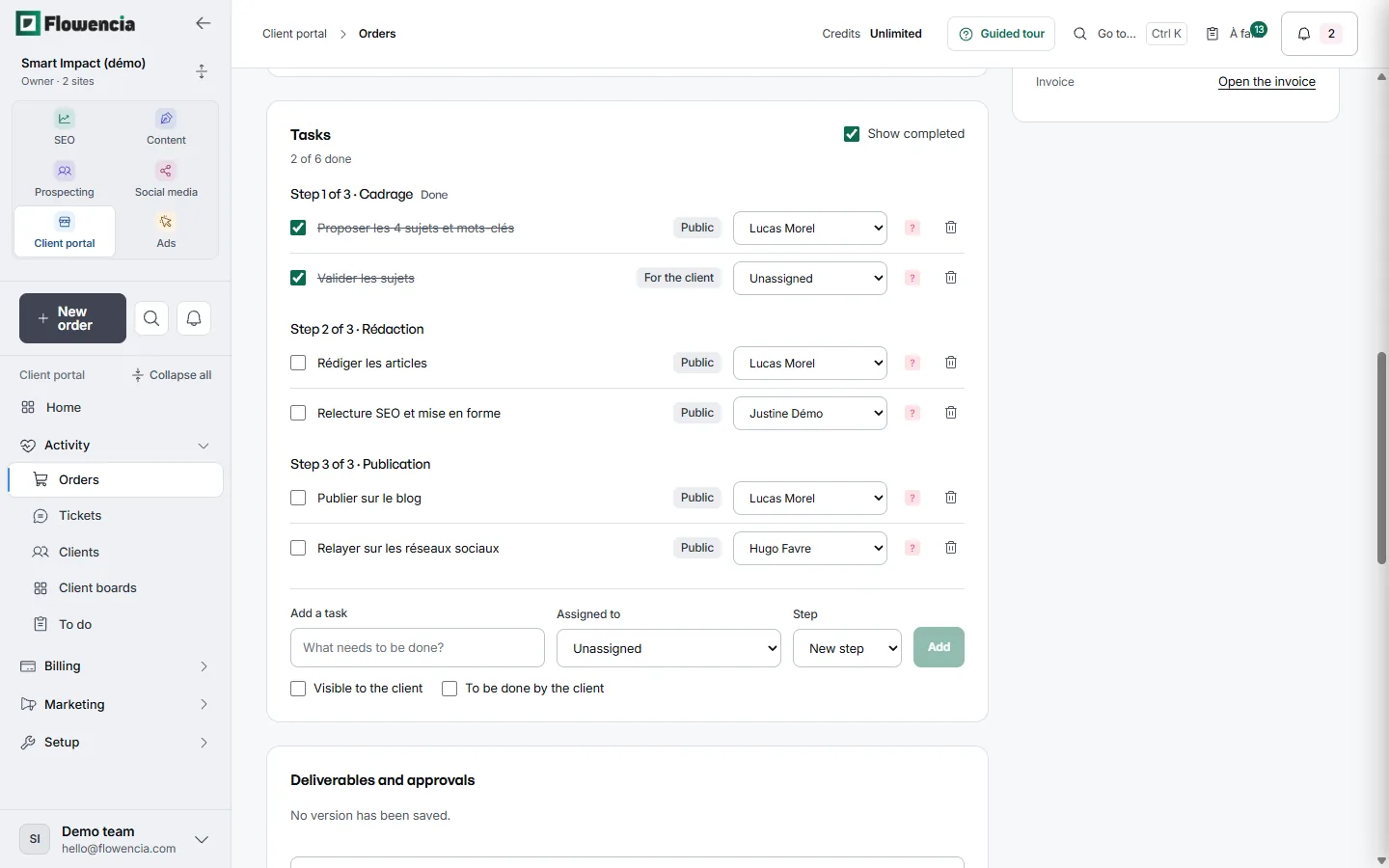
An order picks up the tasks planned for its service, grouped by stage. You assign each task and choose what the client sees.
- A blog pack of four articles, batch 3: 6 tasks across 3 stages, scoping, writing and publishing.
- The topic approval task is marked “For the client” and shows up in their portal.
- One owner per task: writing, SEO review, blog publishing, sharing on social media.
- A new task can be visible to the client or assigned to them.
 (open the full-size capture)
Client side
The client follows the order in their portal.
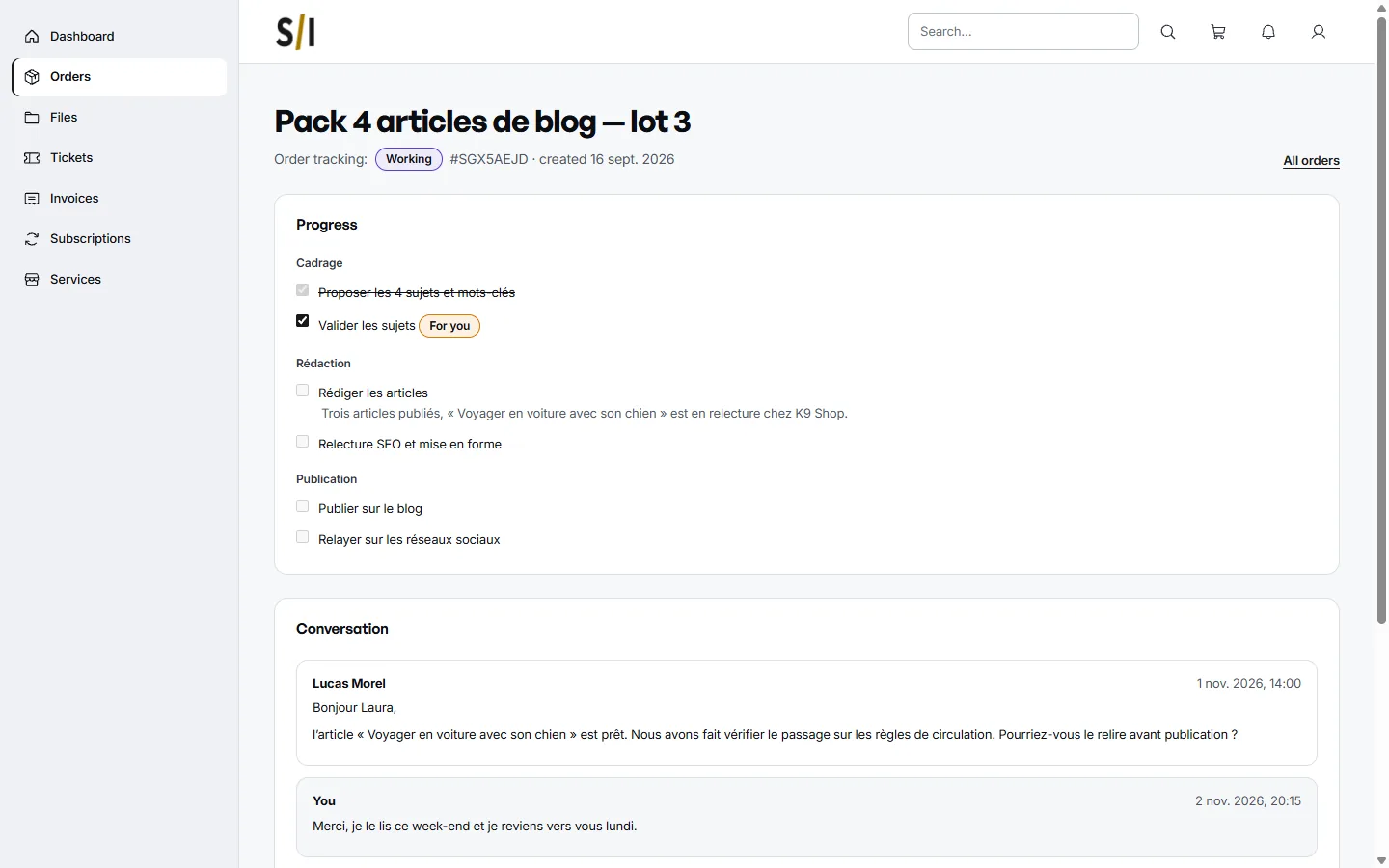
They see the stages, the completed tasks and the ones waiting on them. Messages with your team stay attached to the order.
- At the top: the “Working” status, order number SGX5AEJD and the creation date.
- The topic approval task carries a “For you” tag.
- Under the writing task, a note: three articles published, the fourth under review at K9 Shop.
- The team's message and the client's reply, in the “Conversation” thread.
 (open the full-size capture)
Billing
One invoice, several services.
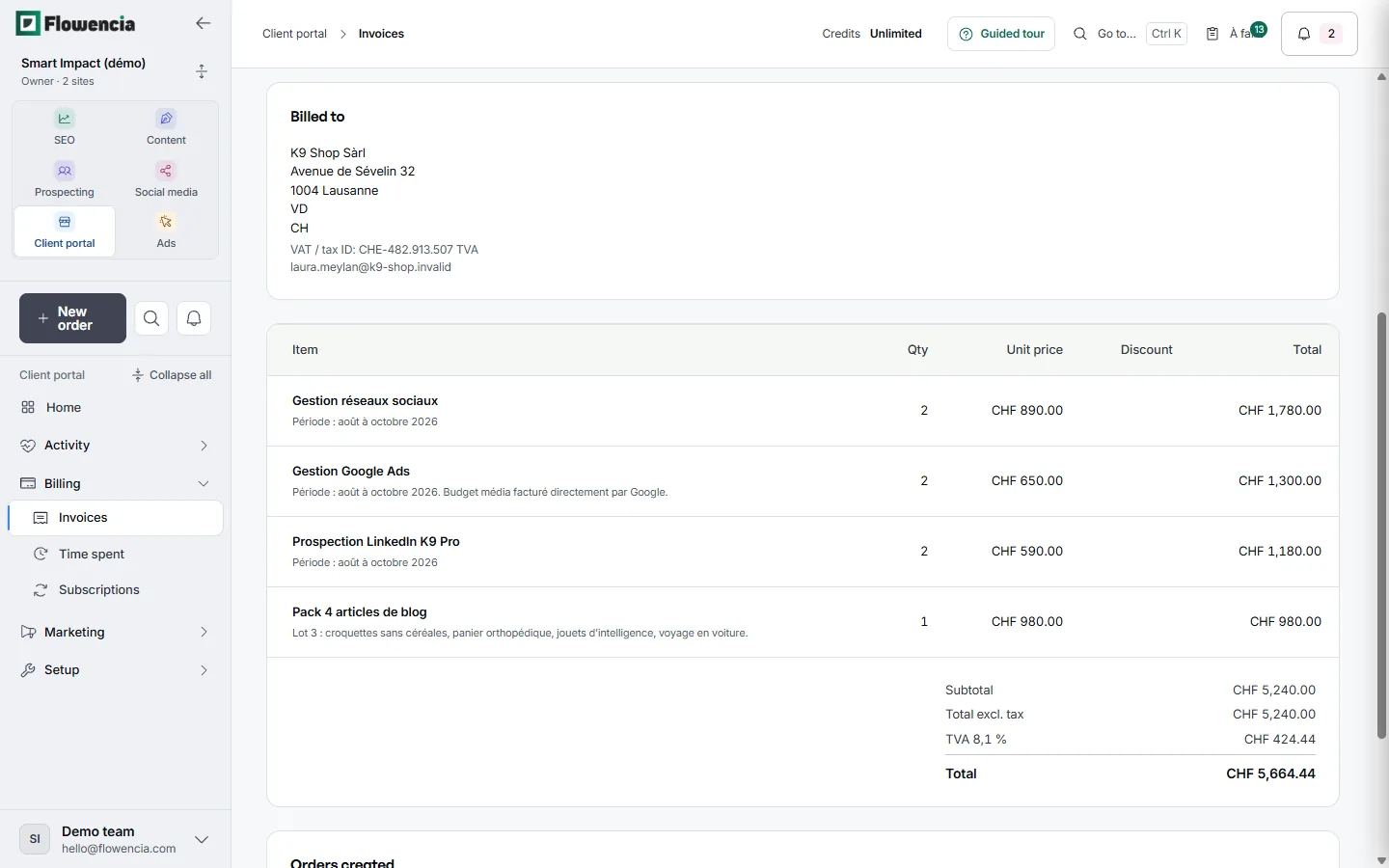
The invoice shows the client, their VAT number and one line per service with its period. It downloads as a PDF and is paid online from the portal.
- Billed to K9 Shop Sàrl, Avenue de Sévelin 32 in Lausanne, with its VAT number.
- Four lines: social media, Google Ads, LinkedIn prospecting for K9 Pro and a pack of four articles.
- Subtotal CHF 5,240.00, VAT at 8.1% of CHF 424.44, total CHF 5,664.44.
- A note on each line, such as the Google Ads media budget billed directly by Google.
 (open the full-size capture)
Report
The work done, in terms the client can read.
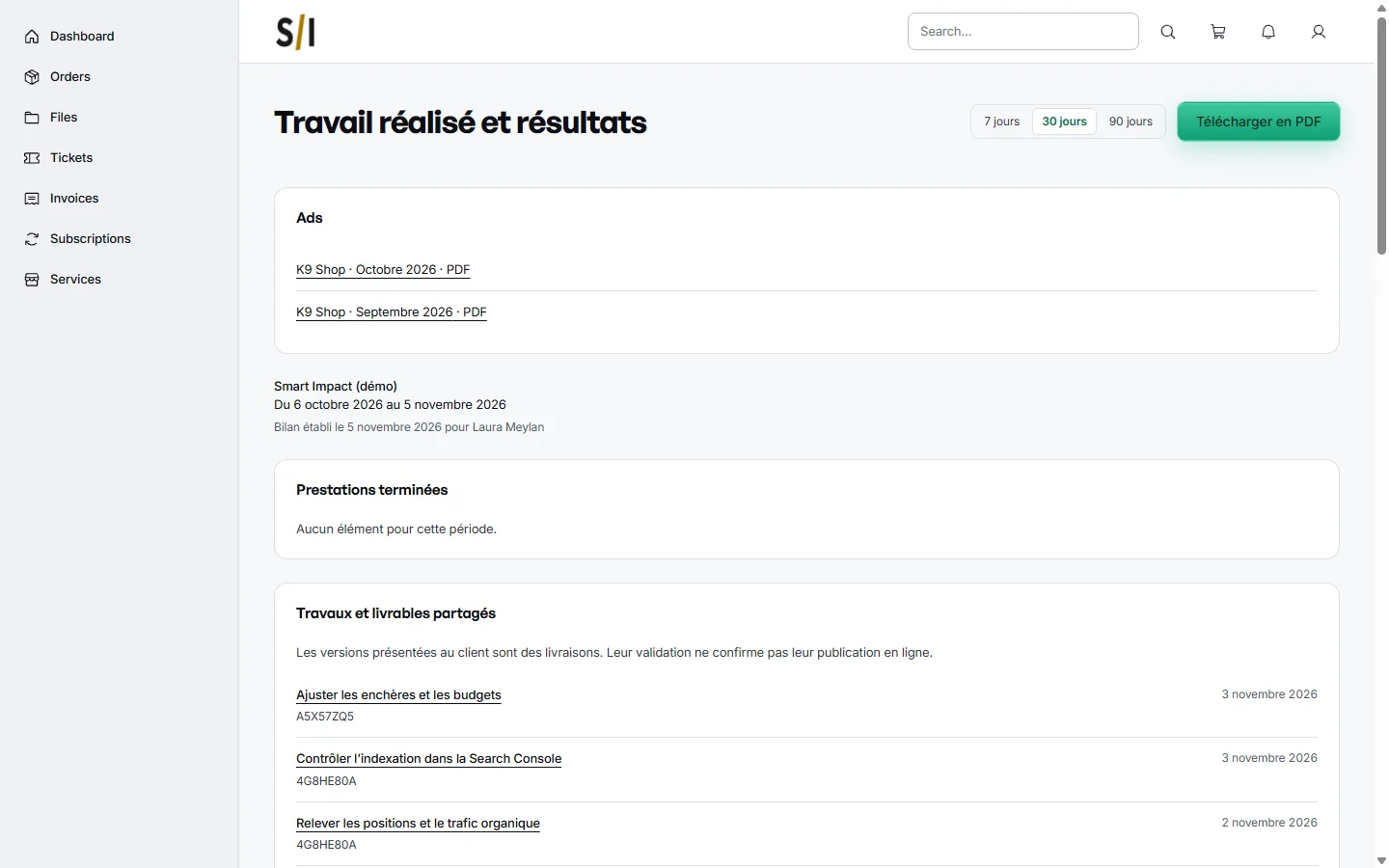
The report gathers what your team delivered over the period. The client picks 7, 30 or 90 days and can download it as a PDF.
- The October and September 2026 Ads reports, ready to open as PDFs.
- The period from 6 October to 5 November 2026, prepared in the client's name.
- Shared work such as checking indexing in Search Console or adjusting bids and budgets.
- Each item carries its date and links back to its order.
 (open the full-size capture)
Guarantees
In your colors
The portal shows your agency's name and logo to your clients.
Roles and log
Each team member has a role and permissions; the log keeps track of changes.
Clear profitability
Time spent per client and invoiced amounts compared with the costs you enter.
Frequently asked questions
How do my clients sign in?
With their email address and a password, or with a sign-in link received by email.
How do my clients pay?
Online, from their invoices and subscriptions, once the agency's payments are set up in the settings.
Can I import my existing clients?
Yes, from a CSV file: you check the preview, and nothing is saved before you confirm.
How do I turn it on?
The client portal is an optional module, switched on for your agency when you need it. Each client is linked to their website tracked for SEO.
Open a space for your clients.
Module switched on for your agency on request. Book a demo to talk it through.