
The work done, shown to the client.
A readable report built from the latest audit, sent automatically, and site monitoring between reports.
Guided tour
The client summary puts actions and publications first. The technical diagnosis opens with the audit findings.
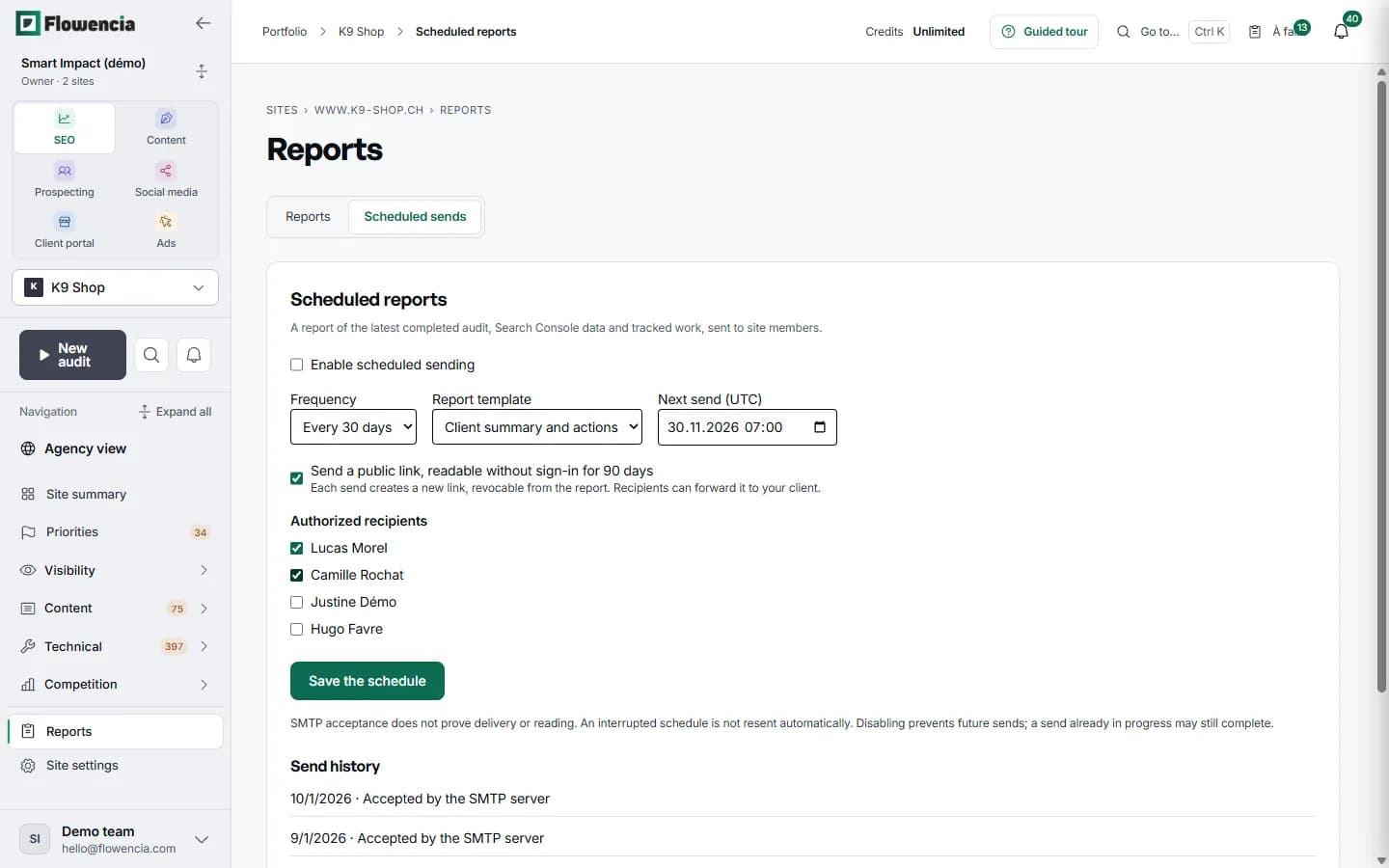
Every 7 or 30 days, starting on the date you pick. The report draws on the latest completed audit, Search Console data and the tracked work.
The link opens without signing in for 90 days and can be revoked from the report. Recipients can forward it to the client.
Tick the site members who should receive it. Only verified email addresses are listed.
Every send is dated, with its delivery status.
In detail
Every screen shown here comes from our demo client: nothing is mocked up.
Site summary
The state of the site on one screen.
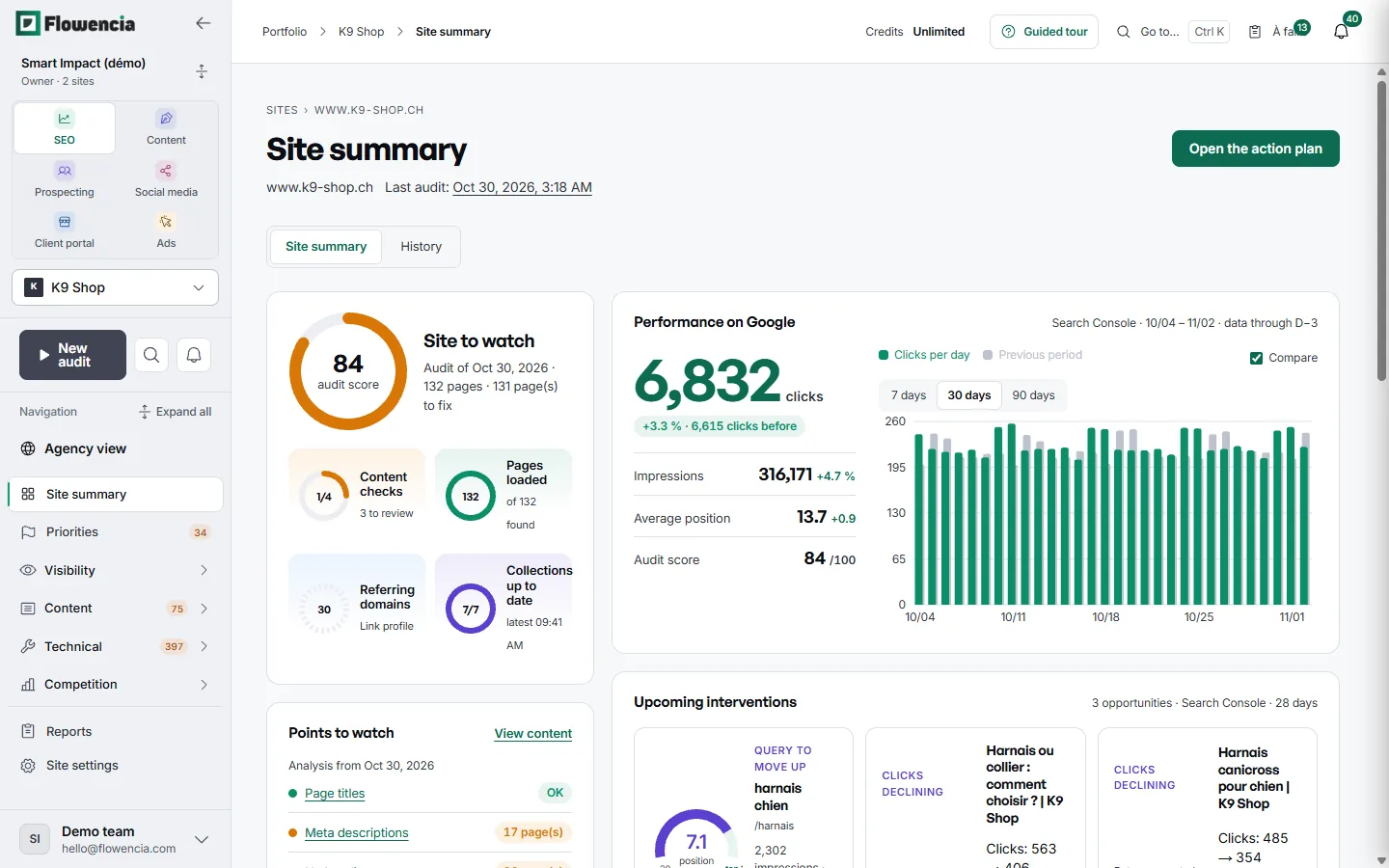
Audit score, Google performance and points to watch, in one place for the client meeting.
- Audit score 84: audit of 30 October 2026, 132 pages, 131 to fix.
- 6,832 clicks over 30 days, up 3.3% on the previous period.
- Points to watch: meta descriptions missing on 17 pages.
- Upcoming interventions drawn from Search Console, such as the query “harnais chien”.
 (open the full-size capture)
Timeline
Every change has an explanation.
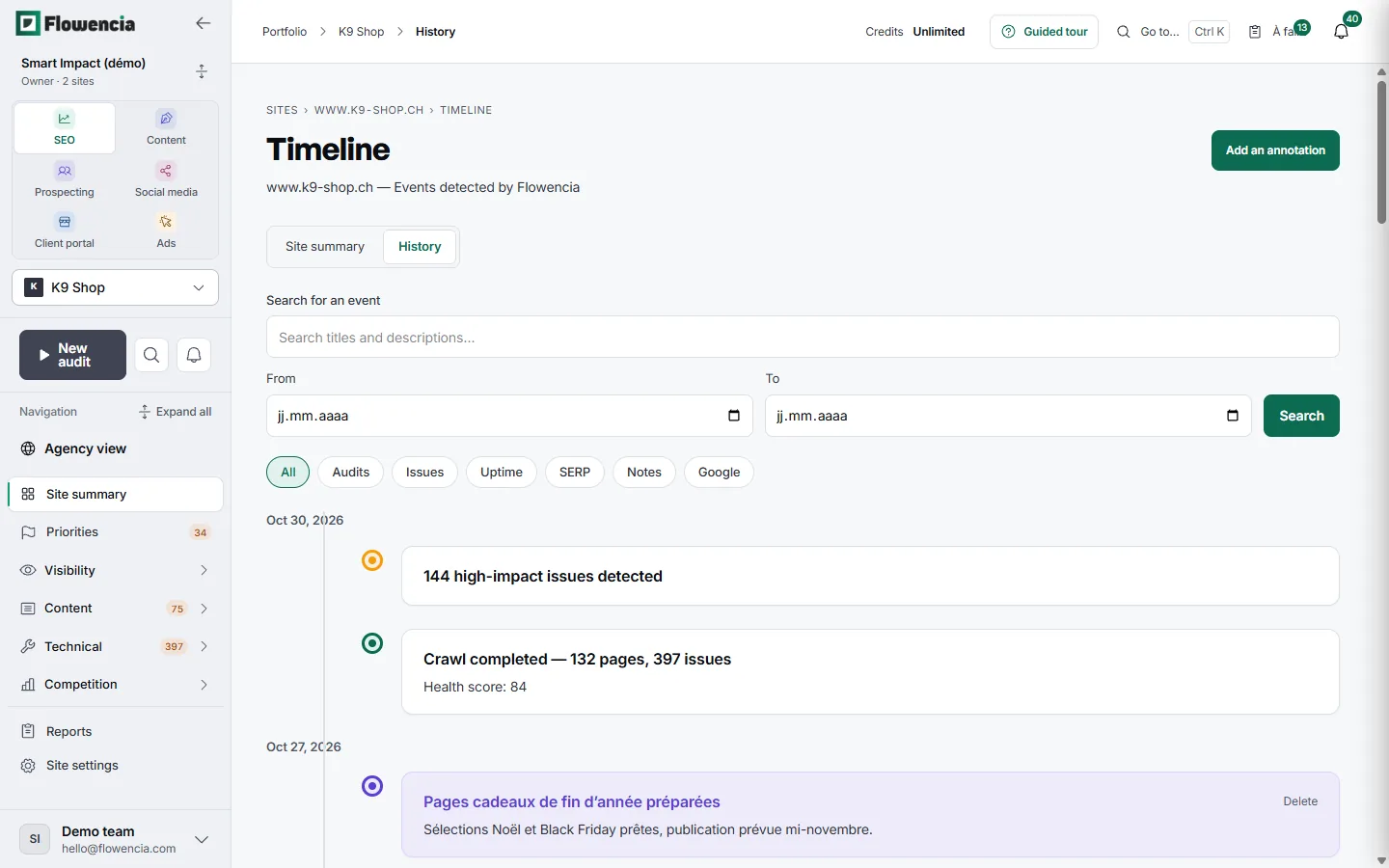
Flowencia dates audits, detected issues, downtime and Google events. Your notes add the context the numbers leave out.
- 30 October 2026: crawl finished, 132 pages, 397 issues, health score 84.
- Note from 27 October: year-end gift pages prepared.
- Filter by type: audits, issues, uptime, SERP, notes, Google.
 (open the full-size capture)
Monitoring
Uptime, tracked between reports.
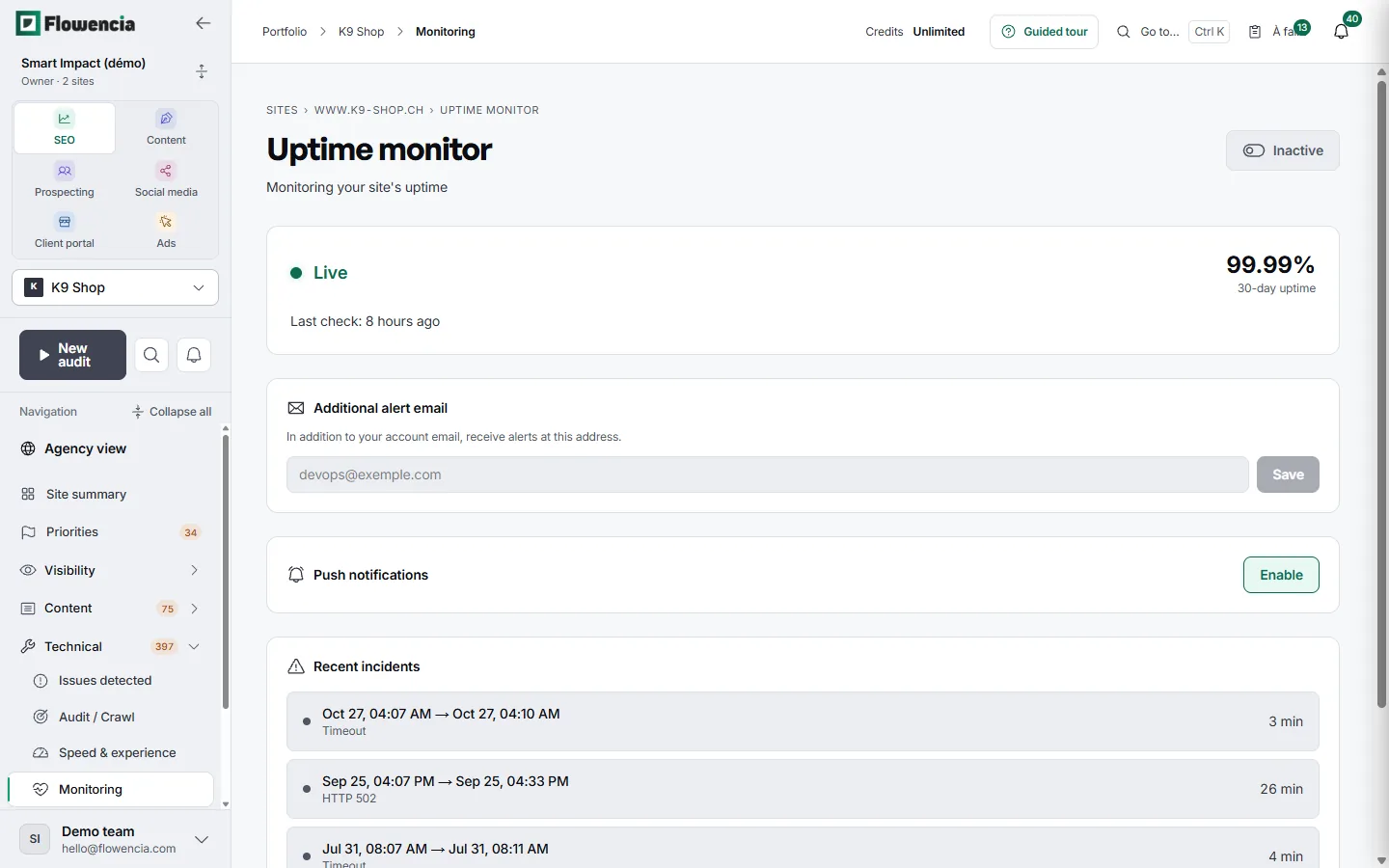
The site is checked every 5 minutes. Every incident is dated, with its duration and cause.
- K9 Shop: 99.99% uptime over 30 days.
- Incident on 25 September: HTTP 502 error for 26 minutes.
- Alerts sent to an extra email address, plus push notifications in the browser.
 (open the full-size capture)
Guarantees
Built from real data
Every report uses the latest completed audit.
Open formats
Download as HTML and JSON.
Annotations
You add the context the numbers don't tell.
Frequently asked questions
Is the report available as a PDF?
Not yet. It downloads as HTML, prints to PDF from the browser, and shares by link.
Who receives scheduled reports?
Site members with a verified email address.
Does the report carry my logo?
Not at the moment.
How am I told about an outage?
By in-app and browser notifications, and by email depending on your plan.
Send your first report.
Free trial, no credit card.