
Your clients' ad accounts, read next to their SEO.
Connect your clients' Google Ads and Meta accounts, read the results of every campaign and prepare a report to share in their portal.
Guided tour
An administrator authorizes Google Ads or Meta, then picks the ad accounts the agency needs.
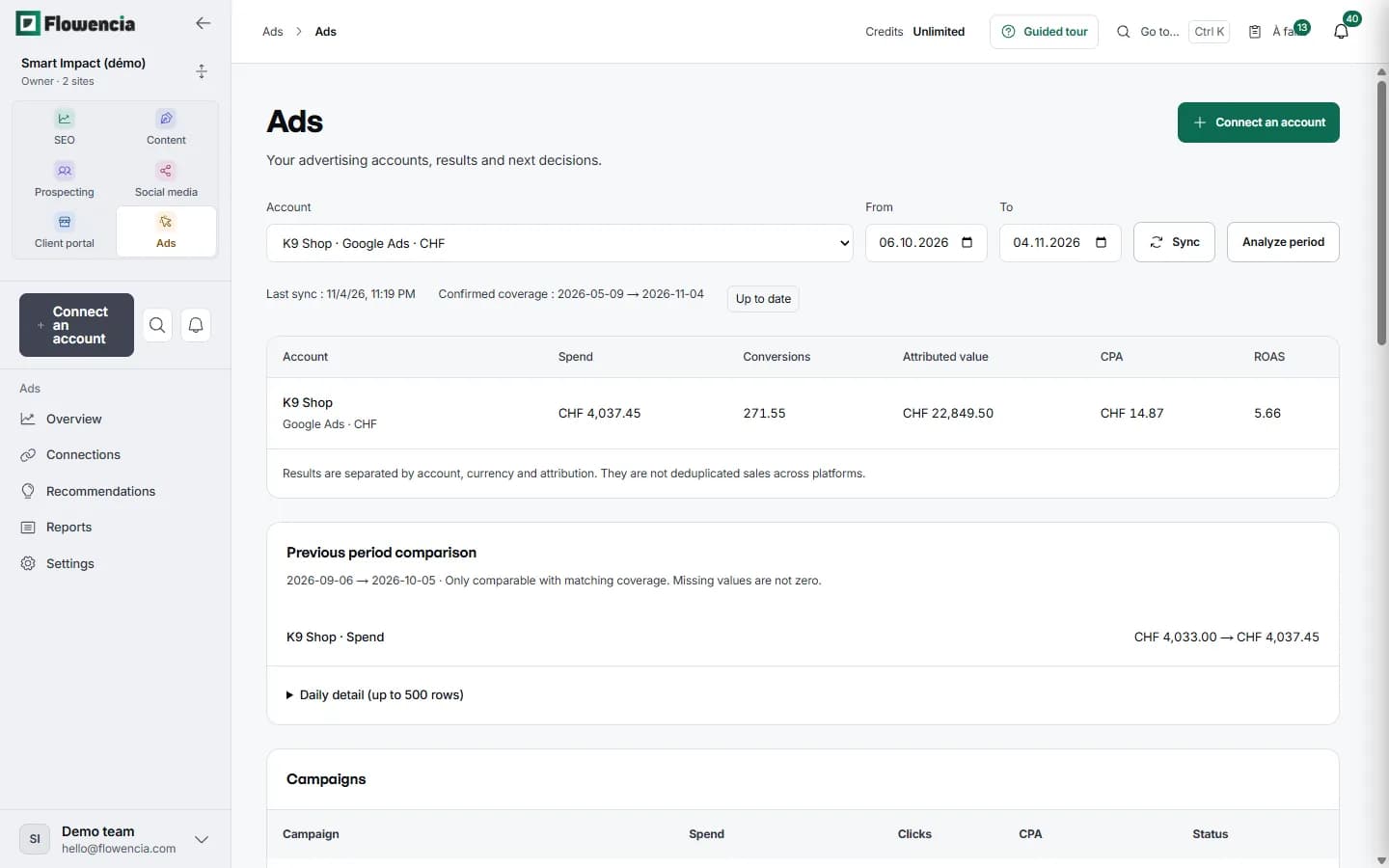
Spend, conversions, attributed value, CPA and ROAS over the chosen period, then the detail of each campaign.
The last sync and the covered period are shown. Currencies and attribution rules stay separate.
The previous period of the same length, with comparable coverage only: a missing value is not counted as zero.
An analysis of the stored measures suggests recommendations, which you mark as useful, dismissed or done.
In detail
Every screen shown here comes from our demo client: nothing is mocked up.
Results by campaign
K9 Shop's Google Ads account, campaign by campaign
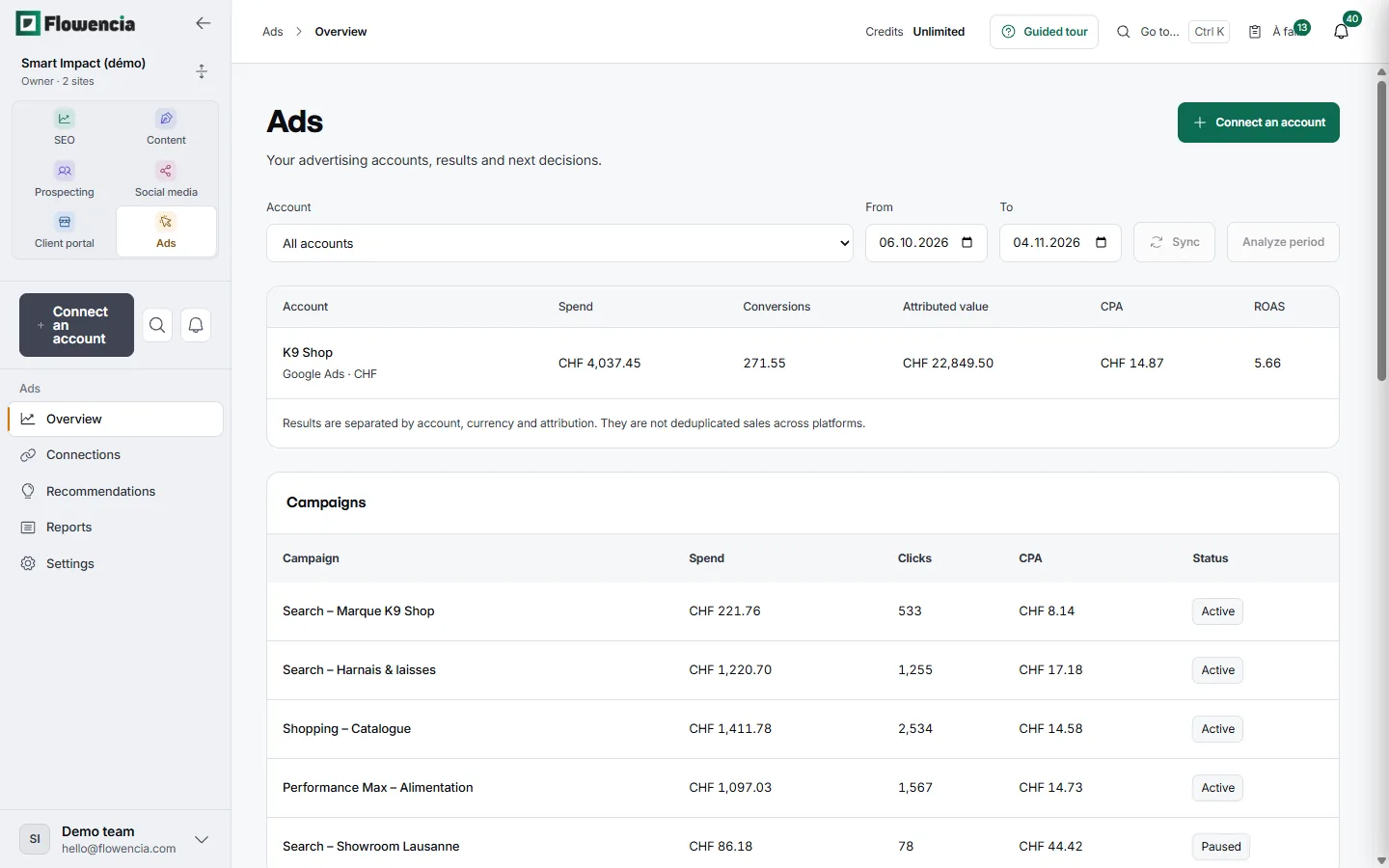
The overview sums up each account over the chosen period, then breaks it down by campaign. Results stay separate by account, currency and attribution.
- 6 October to 4 November: CHF 4,037.45 spent for CHF 22,849.50 in attributed value, a ROAS of 5.66.
- “Shopping – Catalogue”: CHF 1,411.78 for 2,534 clicks.
- “Search – Marque K9 Shop”: a CPA of CHF 8.14, the lowest in the account.
- “Search – Showroom Lausanne” shows as paused.
 (open the full-size capture)
Recommendations
Ideas backed by figures, and your decision
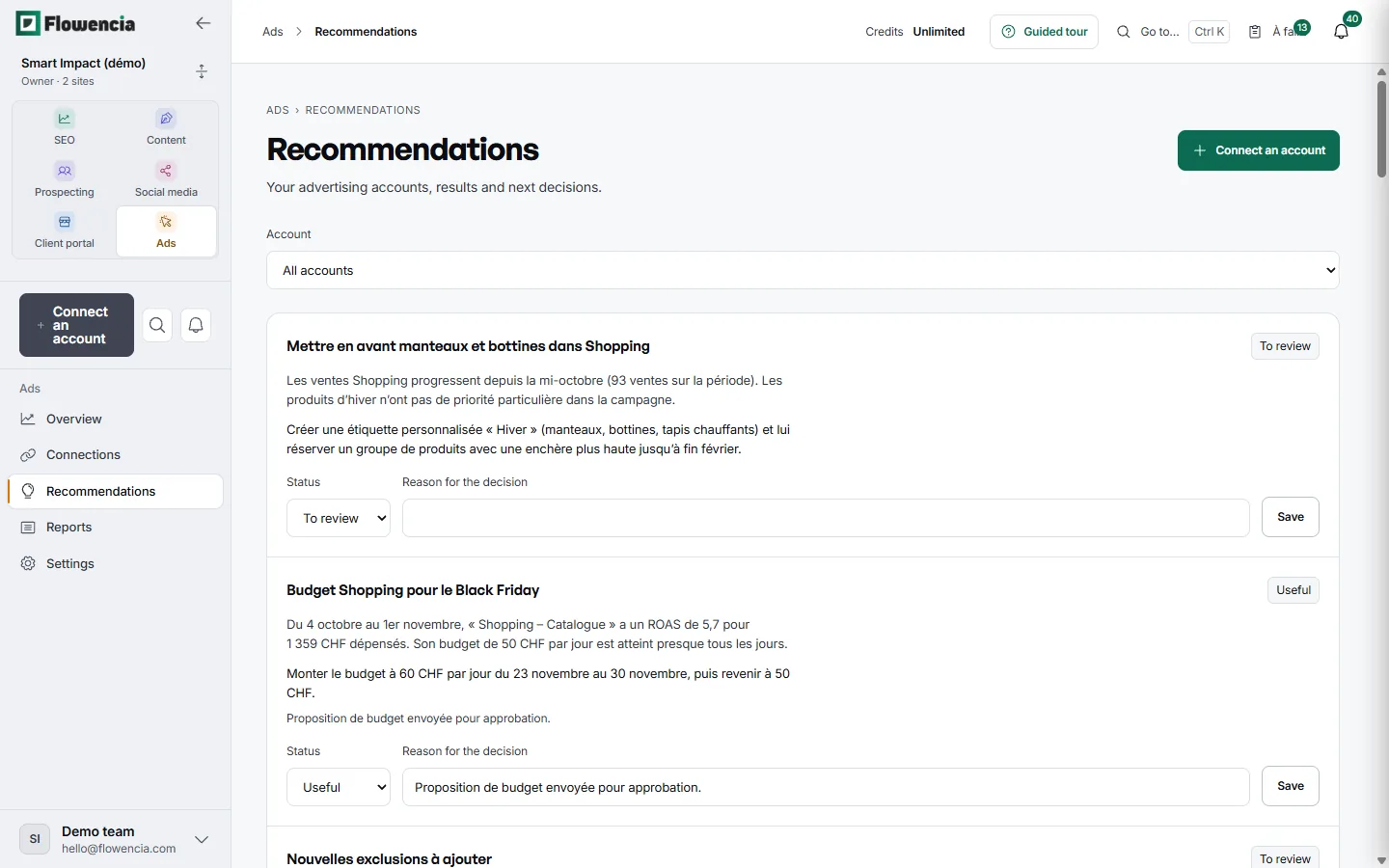
Each recommendation starts from the stored measures: a finding, then a proposal. You mark it as to review, useful, dismissed or done, and note the reason for your decision.
- Shopping: give winter products (coats, boots, heated mats) their own product group with a higher bid until the end of February.
- Black Friday: raise the “Shopping – Catalogue” budget from CHF 50 to CHF 60 a day from 23 to 30 November, backed by a ROAS of 5.7.
- The team notes the reason for each decision, here that the budget proposal was sent for approval.
 (open the full-size capture)
Client report
A saved report, shared in the portal
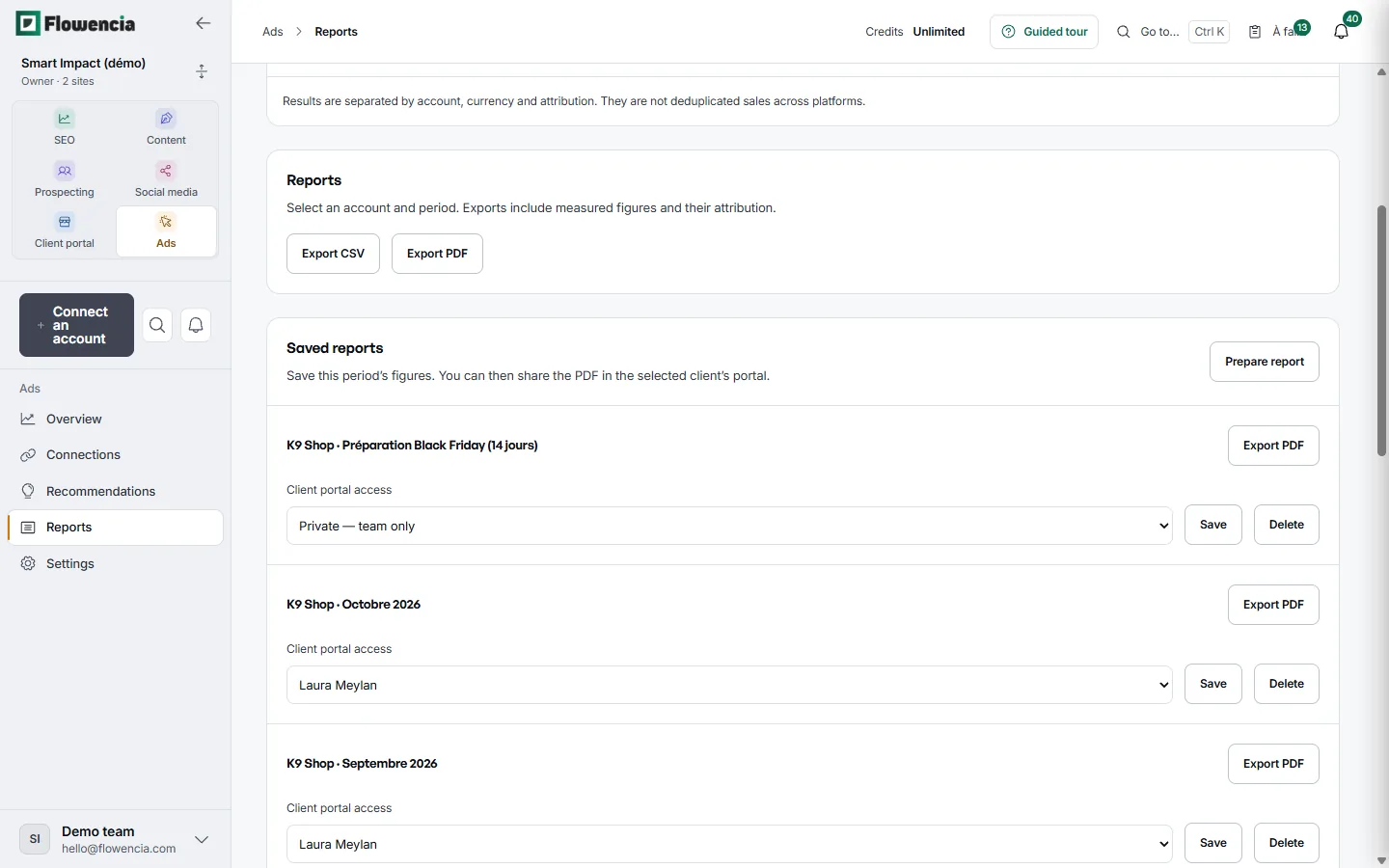
Export the period to CSV or PDF, or save a report to keep its figures. You then choose who sees it in the client portal.
- “K9 Shop · Octobre 2026” and “Septembre 2026”: open to Laura Meylan in her portal.
- “Préparation Black Friday (14 jours)”: private, team only.
- Every saved report exports to PDF.
 (open the full-size capture)
Guarantees
Read only
The module reads your accounts: no campaign or budget is changed.
Access per account
Each team member gets explicit rights, account by account.
Sharing by choice
A report appears in a client's portal only when you decide so.
Frequently asked questions
Which ad platforms are supported?
Google Ads, including the client accounts of a manager account, and Meta.
Can Flowencia change our campaigns?
No. The module reads the measures and suggests recommendations; your campaigns and budgets stay as they are.
Can we rely on the recommendations?
They start from the stored measures and remain hypotheses to check in the client's context before any decision.
How do I turn it on?
Advertising is an optional module, switched on for your agency when you need it. An account is linked to the client website you already track for SEO.
Bring SEO and advertising together for your clients.
Module switched on for your agency on request. Book a demo to talk it through.